
For iPhone · Available on the App Store
Say the plan.
Live the night.
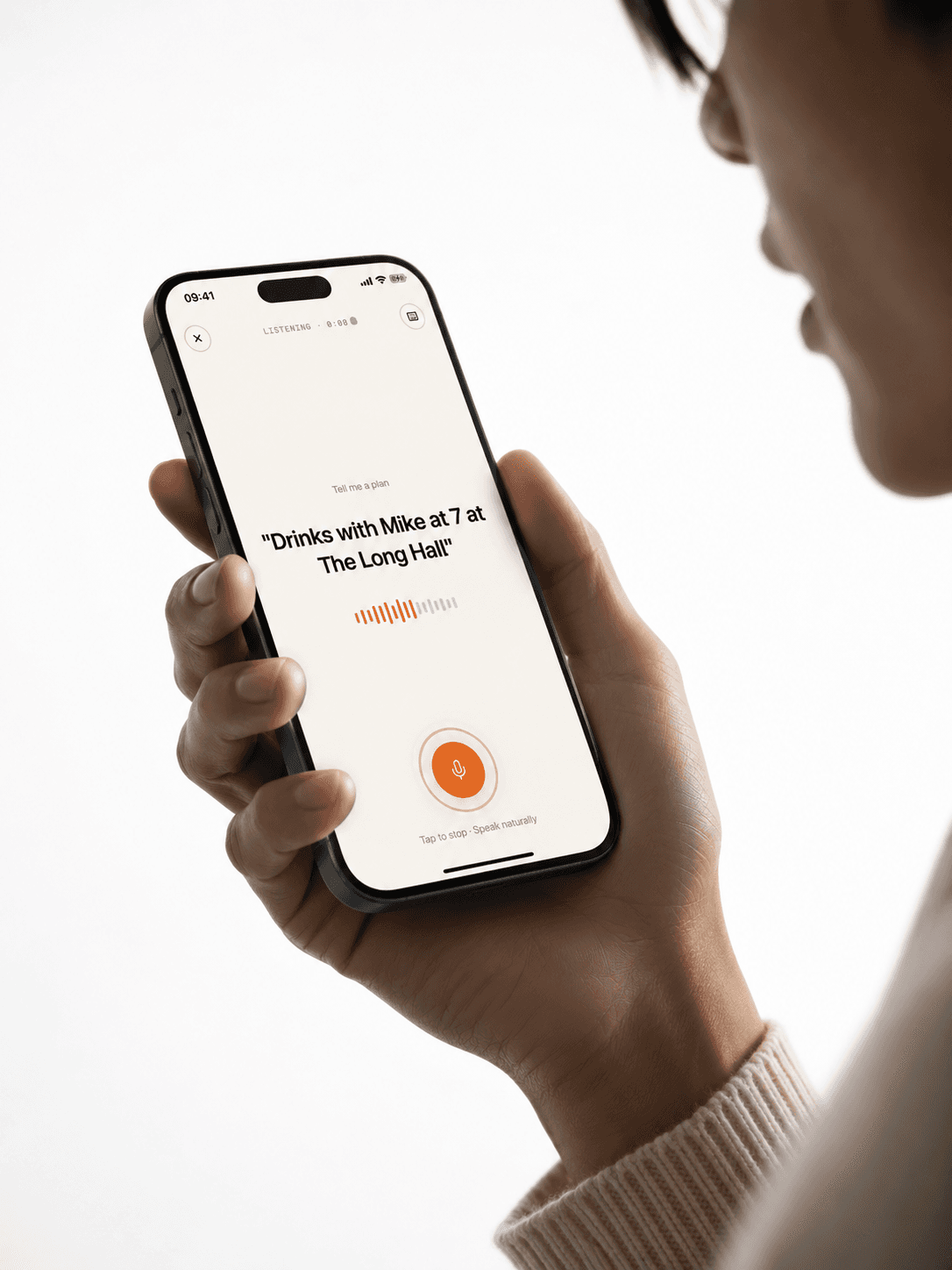
Clink turns a sentence into a hangout. Speak it, confirm a few details, get reminded, then keep the photo and the feeling. The opposite of a work calendar.
How to use Clink
From a sentence to a year you can look back on.
The whole point is that Clink fits between texts. Open it, speak, move on. The good parts compound after the fact — and a few weeks in, the timeline starts looking like a life.
 01Speak
Tap the mic. Say it like a sentence.
No fields, no forms. Talk like you're texting a friend — Clink listens on-device and shows the live transcription as you go.
 02Confirm
Glance at what Clink parsed. Tweak. Save.
Title, time, place, who, and vibe — laid out on one screen. Edit anything in a tap. Never auto-saves; you commit when it looks right.
 03Show up
A gentle nudge. No calendar invites.
Local notifications fire 30 minutes (or whenever you pick) before the hangout. No emails, no Slack pings, no group chat noise.
 04Remember
Drop a photo. Tap a mood. Done.
After the night, Clink quietly asks how it went. One tap on a mood, a photo if you've got one, and it's in your timeline forever.
 05Browse
Scroll back through the year, by vibe.
Every hangout you logged stacks into a timeline coloured by vibe — coffee browns, drinks oranges, dinner greens. A glance tells you what kind of month it was.
 06Reconnect
See who's slipped off the radar.
Tap any name to see every hangout you've shared and when you last met. Clink whispers — not nudges — when a friend hasn't shown up in a while.
Features
Everything Clink does.
One loop, repeated: speak a plan, confirm it, get reminded, capture the memory. Below, what makes that loop work — and what it leaves out on purpose.
- 01Voice-first capture
Talk like you'd text a friend.
Tap the mic, say the plan in plain English, and Clink turns a sentence into a hangout. No form fields, no dropdowns, no calendar grid to wrestle with.
- Live transcription while you speak
- 60-second window, then auto-parses
- Text input fallback for quiet rooms
- Works one-handed, eyes-off
- 02AI that gets the details
Who, what, where, when — pulled out for you.
Clink sends the final sentence to a fast AI parser. It returns a clean, editable card: title, vibe, people, location, time, notes. You confirm — nothing saves until you say so.
- Title, vibe, people, location, time — all extracted
- Edit any field before saving
- Falls back to a local parser if the network is slow
- Confirms with you; never auto-saves AI guesses
- 03Vibe-based organization
Color tells the story.
Every hangout gets a vibe — drinks, dinner, coffee, hike, big night. Each vibe has a color, so a busy week reads at a glance instead of as a wall of beige calendar blocks.
DrinksDinnerCoffeeActivityPartyChillBrunchDateHikeTravel - 04Smart memories
After the night, drop a photo, a mood, a note.
Clink quietly checks in after each hangout. Pick a mood — loved it, good vibes, meh, drained — and add a photo if you've got one. Over time, your year stacks into a timeline you can actually look back on.
- Mood tags: Loved it / Good vibes / Meh / Drained
- Photos stored locally with the hangout
- Year and month browser to flip through past nights
- Filter by person to see your shared history
- 05Friend frequency
Notices who you haven't seen.
Tap any name to see every hangout you've had with them and when you last met up. If it's been a while, Clink nudges — gently, no streaks, no guilt.
- 06Smart reminders
Show up. No calendar invites needed.
Local notifications fire on your phone at the times you pick. Multiple per plan if you want them — a day before, an hour before, fifteen minutes before. Quiet hours respected.
- Up to three reminders per hangout, configurable
- Quiet-hours support
- Afterglow nudge to capture the memory
- All scheduled locally — no servers involved
- 07On-device privacy
Your voice doesn't leave your phone.
Apple's on-device speech recognizer turns talk into text right on your iPhone. Only the final sentence is sent to our parser — no audio, no photos, no identifiers, no analytics SDKs.
- Speech-to-text runs locally on iPhone
- Only the parsed sentence leaves the device
- All hangouts, photos, and memories stay on-device
- Delete every byte in one tap from Settings
- 08Not a calendar
Built for your social life, not your job.
Calendars track meetings. Clink tracks the soft middle — the tentative dinners, the maybe-coffees, the bar plans you're 60% sure about. It plays nicely with your work calendar by ignoring it completely.
FAQ
Questions, honest answers.
The things people ask most often. Don't see your question? Email support@clinkapps.com.

One year from now, you'll be glad you logged this.
Clink is available on the App Store today.
Download it now and start with your next hangout.